0
$0.00
0 items

If you bought crypto for the first time in the last 12 months, you are not alone.
Crypto adoption keeps rising, with nearly one in four adults now holding digital assets in 2026. The combination of spot Bitcoin ETF approvals, institutional adoption, and a maturing DeFi ecosystem has brought a new wave of first-time holders, many of whom made their first purchase on Coinbase, Binance, or a brokerage app and left it there.
Leaving it there was fine for the first week. It is not fine long-term.
The Bybit breach in February 2025 drained $1.46 billion, which was 51% of that year's $2.87 billion total crypto theft. Phishing attacks targeting exchange users contributed another $1.1 billion in wallet-related thefts. These numbers represent real people who lost real money, many of them holders who thought "I'll set up a hardware wallet eventually."
Eventually is now. This guide is written specifically for first-time hardware wallet users: people who understand they should move their crypto to self-custody but have no idea where to start, what to buy, or how to do it without making an irreversible mistake.
No jargon assumed. Every step explained. Common mistakes flagged before you make them.
Most guides start with product comparisons. This one starts with the concept, because misunderstanding what a hardware wallet does leads to the mistakes that get people rekt.
Your crypto is not inside the wallet.
This surprises almost everyone the first time they hear it. Your Bitcoin, Ethereum, SOL; none of it lives inside any device. It lives on the blockchain: a public, distributed ledger that exists on thousands of computers simultaneously.
What a hardware wallet holds is the private key: the cryptographic proof of your right to move the assets at a specific address. Anyone who has the private key can move those assets. Anyone who doesn't cannot, regardless of what a court orders, what customer support says, or what lawyers argue.
A hardware wallet's job is to store that private key in a secure, offline environment and to sign transactions (approve asset movements) without ever exposing the key to the internet.
"Not your keys, not your coins" is the industry's most repeated phrase for a reason. When your crypto is on Coinbase or Binance, Coinbase and Binance hold the private keys. You hold a promise. If they go bankrupt, get hacked, freeze your account, or get hit with a regulatory action, your access to your assets depends entirely on their situation, not yours.
When you hold a hardware wallet, you hold the private keys. Your access depends on you, your hardware, and your backup. Nothing else.
Hardware wallet sales are projected to reach $0.56 billion in 2025, expanding at a CAGR of nearly 30%. That growth means more options than ever, and more noise about which one to buy. Here is what actually matters for a first-time buyer:
1. Multi-chain support In 2026, most new crypto holders don't own just Bitcoin. They own Bitcoin, Ethereum, some SOL, maybe AVAX or BNB. You need a hardware wallet that supports all of them from one device without juggling separate apps. A Bitcoin-only wallet like Coldcard is excellent for Bitcoin maximalists; it is the wrong first hardware wallet for a diversified portfolio.
2. No seed phrase generation (if possible) Limit position sizes, keep long-term holdings in self-custody with strong operational security. Traditional hardware wallets generate a 24-word seed phrase that you must write down and store. This paper backup is the #1 cause of permanent crypto loss. A hardware wallet that eliminates seed phrase vulnerability entirely, like Cypherock X1, removes this risk from the equation before you even start.
3. Open-source firmware You should be able to verify what software runs on the device that holds your wealth. Closed-source firmware means you are trusting the manufacturer's word entirely. Cypherock X1 has been independently audited by Keylabs and Wallet Scrutiny, and both reports are publicly available.
4. Purchase directly from the manufacturer Never buy a hardware wallet from Amazon, eBay, or a local marketplace. Supply chain attacks, where a device is intercepted, modified, and repackaged, are documented and ongoing. Buy only from the official manufacturer website.
For most new crypto holders in 2026, Cypherock X1 is the correct first hardware wallet. It supports 19,000+ tokens across 10+ blockchains, eliminates seed phrase vulnerability, uses open-source firmware, and distributes your private key across 5 hardware components so there is no single point of failure. The Basic model starts at $99.
When your Cypherock X1 arrives, here is what you will find:
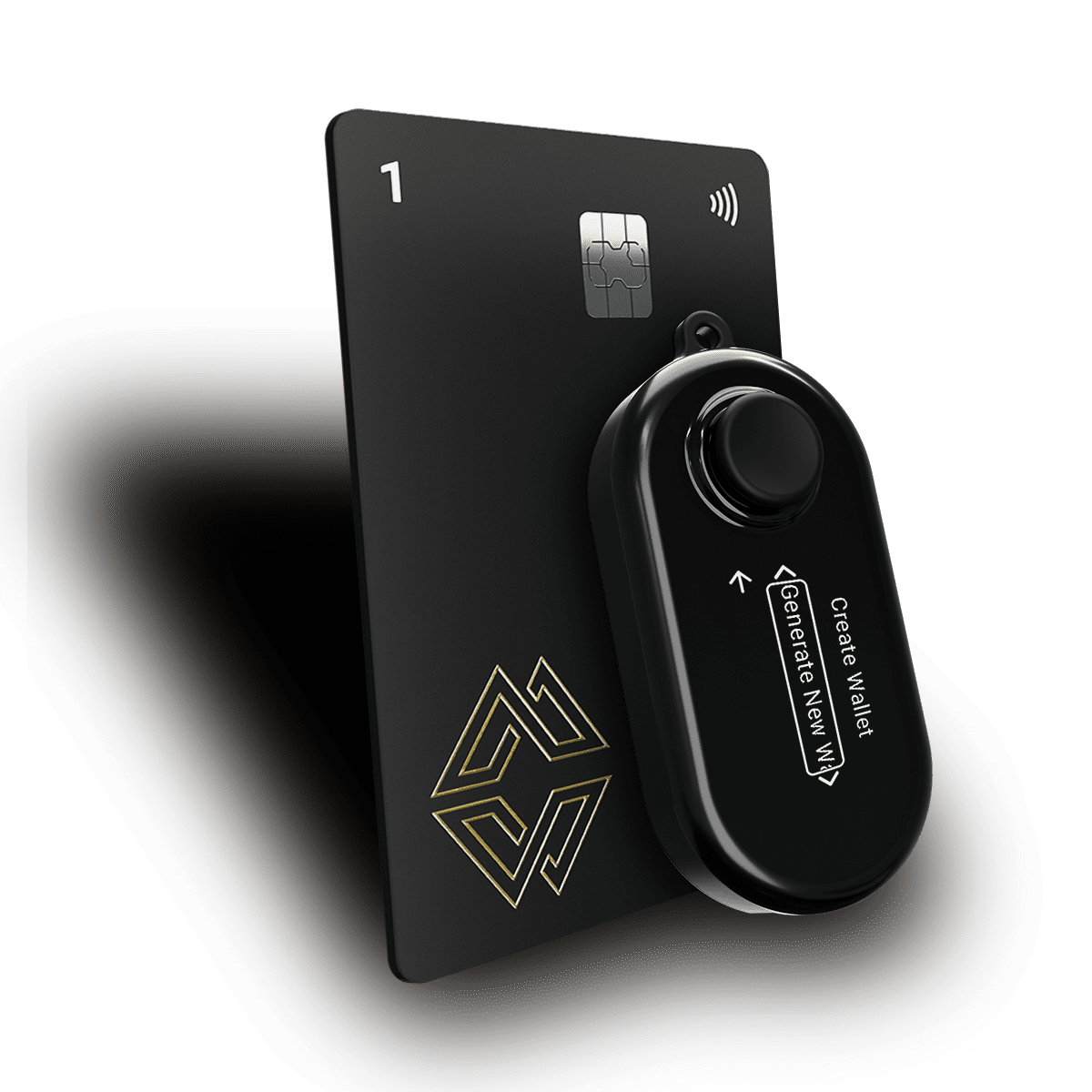
1 × X1 Vault This is the main device, a small, USB-C connected computer with a display screen and physical buttons. It handles computation, verifies transactions, and stores 1 of your 5 key shares. It connects to the cySync desktop app on your computer for portfolio management and transaction signing.
4 × X1 Cards These look like credit cards. Each contains an EAL6+ certified secure element, the same type of chip used in national ID cards and banking cards. Each card stores 1 of your 5 key shares. They communicate with the Vault via NFC (no contact required, just tap the card to the Vault).
USB-C Cable For connecting the Vault to your computer.
The 5-component architecture: Your private key is split using Shamir's Secret Sharing into 5 shares, one per component. Any 2 of the 5 shares reconstruct access. This means you need the Vault and any 1 Card to sign a transaction. You can lose or misplace up to 3 components and still have full access. No single component holds enough information to compromise your funds.
Go to docs.cypherock.com and download the cySync desktop app for your operating system (Windows, macOS, or Linux). Install it on your computer.
Do not download cySync from any other source. Bookmark the official URL. Do not use any "cySync" app found in browser extension stores.
Using the included USB-C cable, connect the X1 Vault to your computer. Launch cySync. The app will detect the Vault and guide you through initial setup.
In cySync, choose "Create New Wallet." You will be prompted to name your wallet.
At this point, the key generation happens on the Vault hardware, not on your computer. The Vault generates your private key internally, splits it into 5 shares via Shamir's Secret Sharing, and distributes one share to itself. The remaining shares are distributed to your 4 X1 Cards in the next step.
No seed phrase is shown at any point. This is intentional — your key exists as hardware-distributed shares, not a phrase you need to write down or store. If you ever wish to view your seed phrase, you can do so directly on the X1 Vault at any time. If you have used other hardware wallets before and are waiting for the 24-word display to appear automatically during setup, it does not. This is a feature, not an omission.
cySync will walk you through a card initialisation process for each of your 4 X1 Cards:
PIN guidance:
Once your cards are set up, cySync will prompt you to add blockchain accounts. Select the chains you hold assets on:
Each account generates an address for that chain. These are the addresses you will withdraw to from your exchange.
Before sending any crypto, use cySync's "Verify Address" function for each account. This causes the X1 Vault to display the address on its physical screen.
Compare the address on the Vault screen with what cySync shows on your computer. They should match exactly. This confirms that your computer has not been tampered with to display a substitute address.
Get into this habit now. Every time you want to receive crypto, verify the address on the Vault screen first. It takes 10 seconds and is one of the most important security practices a hardware wallet user can have.
This is the step most new hardware wallet users are most nervous about. They should be, not because it is difficult, but because blockchain transactions are irreversible. A mistake here cannot be undone. The process below eliminates the most common errors.
The Golden Rule: Always Send a Test Transaction First
No matter how confident you are, no matter how small the amount, send a test transaction before transferring your full balance. Send $10–20 equivalent first. Confirm it arrives in cySync. Only then send the rest.
This costs a small amount in network fees. It is worth it every single time.
Common Bitcoin mistake: Some exchanges offer "Lightning Network" as a withdrawal option. Do not use Lightning unless you specifically understand Lightning and have a Lightning-compatible wallet set up. Use the standard Bitcoin (on-chain) network for hardware wallet withdrawals.
Common Ethereum mistake: Exchanges offer the same assets on multiple networks (ETH on Ethereum mainnet vs ETH on Arbitrum vs ETH on BNB Smart Chain). For your first withdrawal, always use the Ethereum mainnet (ERC-20) option. Funds sent on the wrong network land at the same address but on a different chain, which is not lost but harder to access until you understand multi-chain navigation.
Common Solana mistake: Sending to an Ethereum address format (0x) when your exchange has autofilled the wrong address. Solana addresses look completely different from Ethereum addresses. If what you are pasting into the Solana withdrawal field starts with 0x, stop, you have the wrong address.
Setting up the wallet and withdrawing from the exchange covers the security of your private key at creation and at rest. Distributing your X1 Cards covers the security of your private key against physical disaster.
Here is the uncomfortable scenario nobody mentions in hardware wallet marketing: your house burns down. The X1 Vault is destroyed. All 4 Cards were in the same drawer. Your crypto is permanently inaccessible.
The 5-component SSS architecture only provides resilience if the components are physically separated. With everything in one location, you have effectively recreated the single-point-of-failure of a traditional hardware wallet with extra steps.
Minimum distribution strategy for a new holder:
You need the Vault and any 1 Card to sign transactions in daily use. Your home Card (Card 1) handles this. The other three Cards are insurance; you only need them if something goes wrong with your Vault or Card 1.
For holders with smaller portfolios (under $10K), Cards 1 and 2 at separate locations in the same city with Cards 3 and 4 as more distant backups is a reasonable starting point. As your portfolio grows, revisit the distribution and make it more geographically robust.
Most first-time hardware wallet guides end at "move your crypto off the exchange." This guide doesn't, because there are two scenarios new holders almost never plan for:
Scenario A: You forget your PIN. Months after setup, your Vault needs a firmware update and prompts you for your PIN. You have used it so infrequently that you can't remember it. Without a recovery pathway, your crypto is inaccessible.
Scenario B: Something happens to you. Your family knows you had "some crypto." They find your X1 Vault and Cards. They have no idea what to do with them, what PIN to use, or how to access the assets. Your holdings are permanently stranded.
Cypherock Cover is Cypherock's non-custodial, non-KYC inheritance and PIN recovery service. Setting it up is not optional if you are serious about long-term self-custody. It is the difference between your crypto being accessible to your family after your death and it becoming part of the permanently lost Bitcoin supply.
Set this up within your first month of using the X1. The process is guided within cySync and does not require sharing any key material with Cypherock, it is cryptographic and hardware-attested.
Use this to confirm you have covered every foundation in your first month of self-custody:
Week 1 — Setup
Week 2 — Migration
Week 3 — Distribution
Week 4 — Resilience
It is not "safe"; it is exposed to exchange counterparty risk. Non-custodial wallets are now preferred by 59% of crypto wallet users globally precisely because the risks of exchange custody, including hacks, insolvencies, and regulatory freezes, are well-documented and recurring. The longer you wait to move to self-custody, the longer you are exposed. Set up your hardware wallet this week, not eventually.
With Cypherock X1, losing the Vault means losing 1 of 5 shares, which is insufficient for access. Your funds are safe. Order a replacement Vault, use your PIN and any 1 Card to restore, and you are back to full access. The distributed architecture means hardware loss is an inconvenience, not a catastrophe.
Assets under management of crypto products have tripled between 2023 and 2025. Most people who now hold significant crypto started with a "small amount" they left on an exchange. The time to establish good custody habits is when the amounts are small and the stakes of a mistake are low, not when your portfolio has grown and the consequences of an error are large. The habits you build now will serve you throughout your crypto journey.
Once your Cypherock X1 is set up and your crypto is in self-custody, here is what your security model looks like and what it means in practice:
What is now true:
What remains your responsibility:
What is structurally impossible:
The Cypherock X1 setup, including unboxing, downloading cySync, creating a wallet, initialising all 4 Cards, and setting up your first blockchain accounts, typically takes 30–45 minutes. Transferring assets from exchanges is a separate process that takes as long as you need to go through each asset and exchange methodically.
Create a new Ethereum account on Cypherock X1. Send your assets from MetaMask to your new Cypherock address. Do not import your MetaMask seed phrase into Cypherock, starting with a fresh key generated on the hardware is cleaner and safer. Your MetaMask wallet can remain for DeFi interactions with small amounts; your Cypherock X1 becomes your cold storage vault.
Your crypto is on the blockchain, it is unaffected by Cypherock's operational status. The X1 hardware continues to function regardless of whether Cypherock exists as a company. The cySync software is open-source and can be maintained by the community. Your assets are recoverable using the standard BIP-44 derivation paths that any compatible wallet software can interpret.
Tell a designated trusted person that you have a hardware wallet and that your X1 Cards are important. Do not tell them the PINs, the card locations, or the amounts, just that the hardware exists and matters. This is the minimum necessary for inheritance to be possible. For full inheritance planning, use Cypherock Cover.
Yes, you can send from your Cypherock X1 to an exchange when you want to sell or trade, and withdraw back to your hardware wallet when done. The hardware wallet is for long-term custody; exchanges are for active trading. Moving between the two is a normal and expected part of the workflow.
Create a second wallet account within cySync (Cypherock X1 supports up to 4 separate wallet accounts on the same device). Use that second account as your "warm wallet" for DeFi. Keep your primary holdings in your first, cold account that never directly connects to DeFi protocols. This separation is the single most important architectural decision for security-conscious DeFi users.
Nearly one in four adults now hold digital assets in 2026. Most of them have never taken the step of self-custody. Most of them are one exchange failure, one regulatory freeze, or one hack away from learning why that matters- the hard way.
You are reading this guide because you are taking the step before something goes wrong. That is exactly right.
Self-custody in 2026 is not technically complex. It requires a hardware wallet, one afternoon of focused setup, and the discipline to follow a small number of non-negotiable habits. The Cypherock X1 makes it easier than it has ever been: no seed phrase vulnerability to manage, no paper backup to maintain, no single device to lose.
Move your crypto off the exchange. Set up your hardware wallet. Distribute your cards. Configure your inheritance plan. And then stop worrying about custodial risk because you no longer have any.
Get started with Cypherock X1, the hardware wallet that eliminates seed phrase vulnerability, built for 2026. Download cySync, verify your supported tokens, and set up Cypherock Cover to complete your self-custody setup.
Related reading: