0
$0.00
0 items

Solana is no longer a speculative bet on high-throughput blockchain infrastructure. In 2026, it is the dominant chain for consumer crypto, home to the most active NFT market, the highest-volume DEX activity outside of Ethereum, and a stablecoin payments ecosystem that processes billions in monthly volume.
With that growth has come a corresponding growth in attacks targeting SOL holders. Phantom wallet phishing. Malicious dApp approvals. Fake airdrop claims. Exchange hacks. And throughout all of it, the same underlying vulnerability that has always plagued crypto self-custody: private keys stored in ways that create single points of catastrophic failure.
This guide is the complete reference for SOL holders who are serious about security in 2026: what the real threats are, how every storage option compares, how to move SOL to proper cold storage, and how to continue staking and participating in the Solana ecosystem without compromising your vault's security.
Solana uses a different cryptographic and address model than Ethereum and Bitcoin, and these differences matter for wallet compatibility:
These distinctions mean that a hardware wallet claiming "multi-chain support" must specifically implement Solana's cryptographic and account model; it cannot simply add Solana as another EVM chain.
Cypherock X1 supports Solana natively, including ED25519 key generation and transaction signing for SOL and SPL tokens. Verify full Solana token support at cypherock.com/coin-support.
Solana's growth has made its ecosystem one of the most actively targeted in crypto. Understanding the specific vectors is essential for choosing the right storage approach.
Phantom wallet phishing: Phantom is Solana's dominant browser extension wallet, and therefore its dominant phishing target. Fake Phantom update pages, fraudulent extension versions in browser stores, and phishing sites that prompt Phantom users to "re-verify" their wallets are all documented, active attack patterns. The Phantom extension itself has a strong security team, but the attack surface is the user's behavior, not the software.
Malicious dApp approvals: Solana's account model means dApps can request delegated authority over specific token accounts. A malicious dApp that receives a signed approval can drain specific SPL token accounts without any further user interaction. Unlike Ethereum where token approvals are revokable, Solana's close-authority pattern means some approvals are difficult to reverse cleanly.
Fake airdrop and NFT claim sites: Solana's active NFT and airdrop ecosystem creates constant phishing opportunities. "Claim your airdrop" sites that require connecting a wallet and signing a transaction are among the most common vectors for hot wallet drains.
Clipboard hijacking for addresses: Malware that substitutes Solana addresses in the clipboard is documented and in active use. A user copying a withdrawal address from an exchange and pasting it into their wallet may be unknowingly sending to an attacker's address if malware has intercepted the clipboard.
Exchange custody risk: SOL remains heavily exchange-custodied, with a significant percentage of circulating supply sitting on Binance, OKX, Bybit, and Coinbase. Exchange-held SOL cannot be staked natively, participates in no governance, and is subject to the full range of counterparty risks.
Tier 1: Exchange Custody (Highest Risk) Binance, Coinbase, Bybit, OKX. Your SOL is the exchange's liability. Exchange staking products offer convenience but capture a commission from your yield and introduce withdrawal freeze risk during regulatory events or solvency crises.
Tier 2: Phantom / Solflare (Hot Wallet, Moderate Risk) Both are excellent wallets with strong security teams. You control your keys, but those keys exist on a browser extension or mobile app running on an internet-connected device. Acceptable for active DeFi use with amounts you're willing to lose. Not appropriate for significant long-term holdings.
Tier 3: Hardware Wallet + Seed Phrase (Good) Ledger Nano X with the Solana app supports SOL cold storage. Keys go offline. The persistent vulnerability is the seed phrase backup, a physical object representing the complete master key.
Tier 4: Hardware Wallet Without Seed Phrase (Best) Cypherock X1, with native Solana support and ED25519 signing, and the private key distributed across 5 hardware components via Shamir's Secret Sharing. No seed phrase generated or required. No single point of failure at any tier.
Yes. Cypherock X1 supports Solana (SOL) with native ED25519 key generation and full transaction signing for:
Your Solana account on Cypherock X1 is a native Solana address, not a wrapped or compatibility-layer address. It is a first-class Solana public key generated with ED25519 cryptography directly on the device.
Browse the full supported token list including all SPL tokens: cypherock.com/coin-support
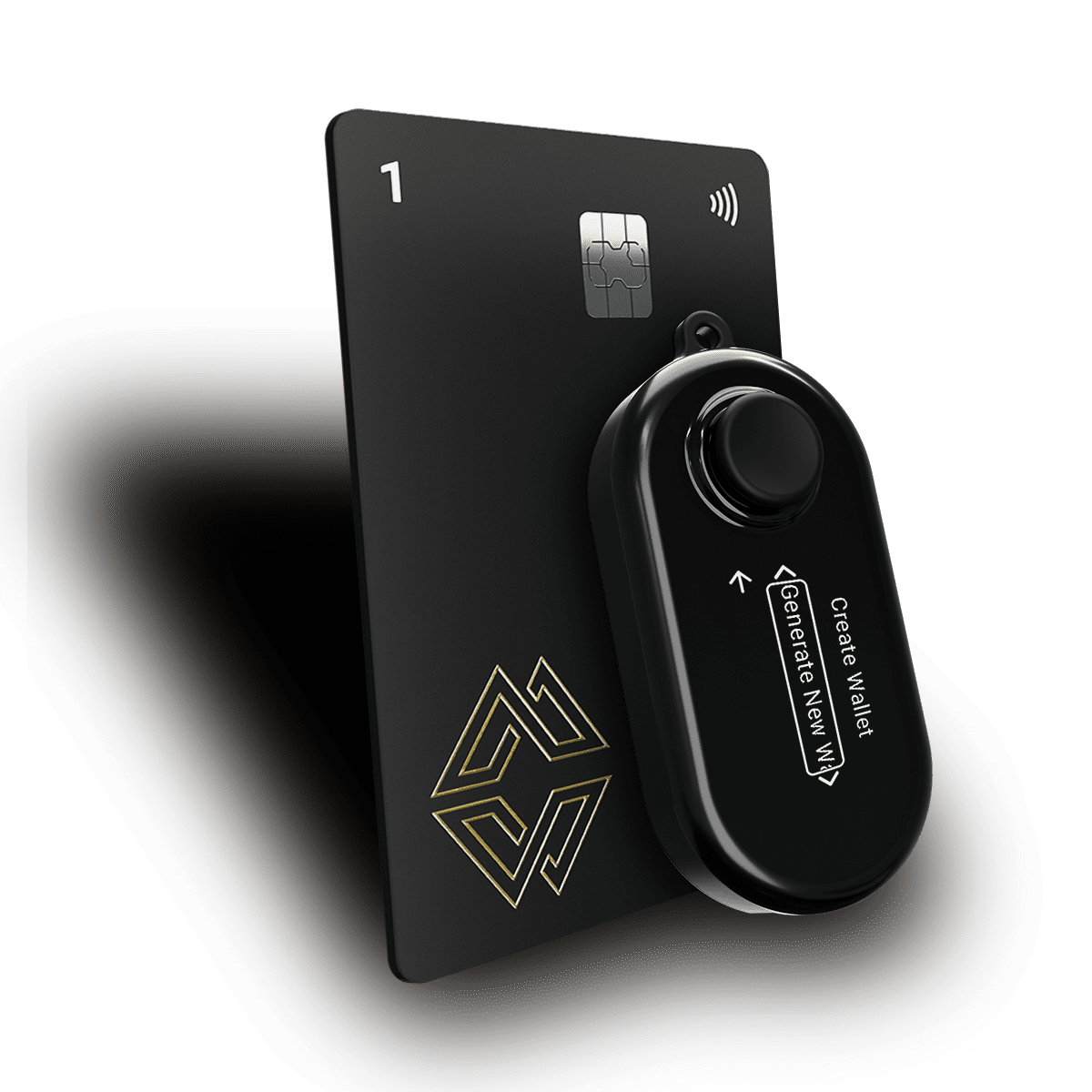
Step 1: Set Up Your Cypherock X1 Unbox your X1 Vault and 4 X1 Cards. Connect the Vault to the cySync desktop app. During setup, your keys are generated on the hardware and split via SSS across your 5 components. No seed phrase is shown or required at any point.
Step 2: Add a Solana Account in cySync In cySync, select "Add Account" and choose Solana. This generates your native Solana public address (Base58 format, 44 characters).
Step 3: Verify Your Address on the X1 Vault Screen Before sending any SOL to this address, verify it on the X1 Vault's physical screen. The address displayed on the device screen is generated from the hardware; if it matches what cySync shows on your computer, you have confirmed your computer has not been manipulated to display a substitute address.
Step 4: Send a Test Transaction First From your exchange or Phantom wallet, send a small amount of SOL first, 0.1 SOL is sufficient. Confirm receipt in cySync before sending your full balance.
Step 5: Transfer Your Full SOL Balance Once the test transaction confirms (Solana finalizes in under 1 second under normal conditions), transfer your full balance. Keep in mind:
Solana requires a small SOL balance (~0.002 SOL) to keep the account rent-exempt Leave a small amount in your source wallet if you plan to use it again
Step 6: Transfer Your SPL Tokens SOL in cold storage is step one. SPL tokens (USDC, JitoSOL, stablecoins, memecoins) should also be moved to cold storage for any positions worth protecting. Send each SPL token to the same Solana address on your Cypherock X1; the same address that holds your SOL also manages all SPL tokens.
Step 7: Distribute Your X1 Cards Store your 4 X1 Cards in geographically separate locations. For Solana holdings above $20K, consider locations in different buildings or cities.
Solana's native staking does not require a DeFi protocol or smart contract; it is built into the base layer as a stake account system. This makes staking from cold storage cleaner than on most other chains.
All staking transactions, including creating stake accounts, delegating, claiming rewards, and deactivating, are transaction signatures that Cypherock X1 can sign via cySync. The workflow:
Liquid staking protocols on Solana, including Jito, Marinade, and BlazeStake, allow you to stake SOL and receive a liquid receipt token (JitoSOL, mSOL, bSOL) that can be used in DeFi while still earning staking yield. These are SPL tokens that your Cypherock X1 Solana address can hold.
For maximum security: stake through native staking from your cold wallet, or hold liquid staking tokens in your warm wallet tier rather than your cold vault (since liquid staking tokens are used in DeFi and carry smart contract risk).
Solana's SPL token standard supports thousands of tokens, including USDC, USDT, RAY, BONK, JTO, WIF, and countless others. Each SPL token requires a separate token account (a program-derived account associated with your main wallet address) to hold it.
Important for USDC/USDT cold storage holders: Stablecoins on Solana are among the most valuable targets for phishing attacks. Keeping your Solana USDC in cold storage on Cypherock X1, rather than in Phantom, significantly reduces exposure to the dApp approval and phishing vectors that drain hot wallets.
Address substitution is one of the most underreported threats to Solana holders:
How it works: Malware running on your computer monitors the clipboard. When it detects a string matching the Solana address format (Base58, 44 characters), it replaces it with the attacker's address. You paste what you think is your Cypherock address into the withdrawal form, but you're actually sending to the attacker.
How to defeat it completely: Verify the receiving address on your X1 Vault's physical screen before sending any transaction. The Vault displays the address generated by its own hardware; this display cannot be manipulated by malware running on your computer. If the address on the Vault screen matches what you intend to send to, the transaction is safe regardless of what's in your clipboard.
This hardware-level address verification is one of the most practical and underappreciated security features of any hardware wallet. It is especially important on Solana, where addresses are long and look nothing like familiar patterns.
Solana NFTs are SPL tokens (specifically, Metaplex NFTs are SPL tokens with a supply of 1). Your Cypherock X1 Solana address can receive and hold Solana NFTs. Display and management of NFT metadata within cySync varies; check docs.cypherock.com for current NFT support details.
You can connect your Cypherock X1 Solana account to web interfaces like Solflare that support the Solana hardware wallet adapter standard. This allows you to browse dApps with your cold wallet address while still requiring physical hardware authentication for every transaction. Do not import your private key into Phantom; use the hardware wallet connection flow.
Your staked SOL is on-chain; it remains in your stake accounts regardless of hardware status. As long as you retain 2 of your 5 X1 components and know your PIN, you can recover full access and eventually deactivate your stake accounts and transfer funds.
Validator operation involves specific Solana program interactions. Cypherock X1 is designed for delegator staking (nominating a validator), not for running a validator node directly. Validators typically use dedicated server key management.
In cySync, navigate to your Solana account and initiate a "Verify Address" operation. This prompts the X1 Vault to display the address on its physical screen. If it matches what cySync and your intended sender show, the address is correct and safe to receive funds.
Yes. Cypherock X1 supports up to 4 separate wallet accounts; each can have its own Solana address. Use one for cold storage SOL holdings and a separate one for DeFi-active Solana operations, managed together through cySync's portfolio management view.
Solana in 2026 is high-stakes. The ecosystem has matured to the point where significant wealth, in SOL, in SPL stablecoins, in liquid staking positions, in NFT collections, is stored in wallets that were never designed for that level of value.
Cold storage via Cypherock X1 provides Solana holders with the security foundation the ecosystem's growth demands: native ED25519 Solana support, no seed phrase liability, distributed key storage across 5 hardware components, and a clean path to staking and DeFi participation without exposing your vault address to smart contract risk.
Move your SOL off exchanges. Move your significant SPL positions off Phantom. Build a tiered wallet architecture that matches your actual risk exposure.
Explore the Cypherock X1, check Solana and SPL token support, or see how Cypherock Cover handles Solana inheritance planning.
Related reading: