0
$0.00
0 items

Polkadot has matured into one of the most technically ambitious ecosystems in crypto, a heterogeneous multi-chain network where parachains share Polkadot's pooled security, and DOT functions as the network's staking, governance, and bonding currency.
For holders who understand what Polkadot represents, DOT is not a speculative position; it's a long-term infrastructure bet. And long-term infrastructure bets deserve long-term security infrastructure to match.
Yet the majority of DOT holders rely on exchange accounts, Polkadot.js browser extensions, or hardware wallets that still require 24-word paper backups. This guide covers all of it: the real threat landscape for DOT holders, every storage option available, and the complete process for moving DOT into proper cold storage in 2026.
Polkadot uses its own cryptographic primitives that differ from Ethereum and Bitcoin in ways that matter for wallet compatibility:
This means not every hardware wallet supports DOT. A hardware wallet that supports "Ethereum and ERC-20 tokens" cannot store DOT, even though both are major assets.
Cypherock X1 supports Polkadot (DOT) natively, including Substrate-based address generation and SR25519 signing. Verify the full list at cypherock.com/coin-support.
Exchange risk: Polkadot is actively traded on Binance, Coinbase, Kraken, and OKX. All carry counterparty risk. Exchange-held DOT cannot be staked, participates in no governance votes, and is subject to withdrawal freezes in regulatory events.
Polkadot.js extension risk: The Polkadot.js browser extension is the most widely used DOT interface. It is a browser extension, meaning it shares attack surface with every website you visit and every other extension in your browser. Malware specifically targeting Polkadot.js users has been documented.
Phishing via parachain airdrops and governance notifications: Polkadot's active governance and frequent parachain launches make DOT holders high-frequency targets for phishing campaigns that masquerade as governance notifications, airdrop claims, and parachain participation flows.
Seed phrase exposure: Even hardware wallet users who store DOT have typically generated a seed phrase in a browser extension first, then transferred it to hardware, a process that exposes the key at its most vulnerable moment.
Tier 1: Exchange (Highest Risk) Binance, Coinbase, Kraken, OKX. Your DOT is the exchange's liability. You cannot participate in governance or staking from exchange custody without using the exchange's staking product (which captures the yield for itself at a commission).
Tier 2: Polkadot.js Extension / Nova Wallet (Moderate Risk) Self-custody with a software wallet. Your keys, your DOT, but exposed to browser and mobile threat surfaces. Acceptable for active governance participation with small amounts. Not appropriate for significant long-term holdings.
Tier 3: Hardware Wallet + Seed Phrase (Good) Ledger Nano X supports DOT via the Polkadot app. Your keys go offline. But your seed phrase remains a physical liability, and Ledger's closed-source firmware remains unverifiable.
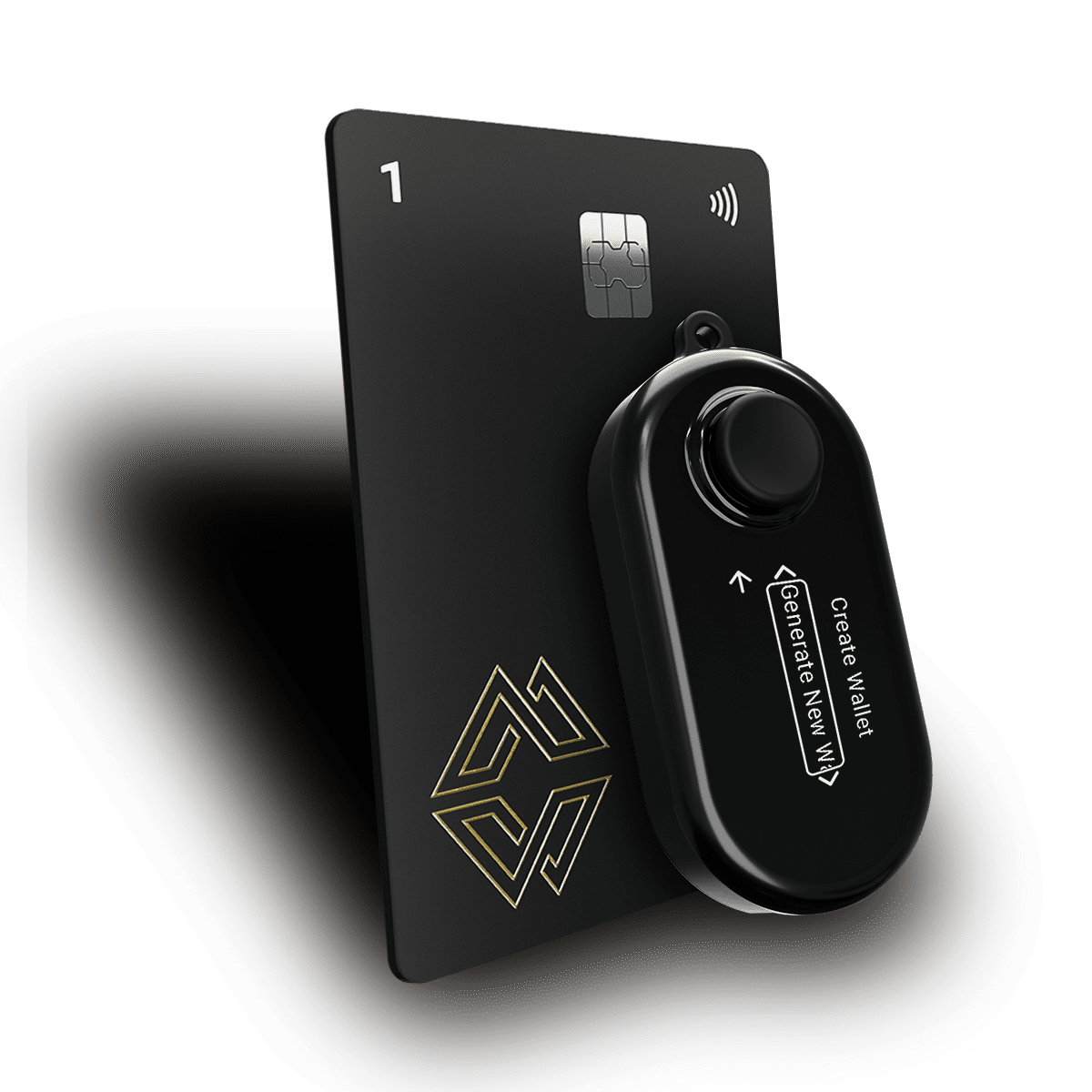
Tier 4: Hardware Wallet Without Seed Phrase (Best) Cypherock X1, with the private key split across 5 hardware components via SSS. No seed phrase. Cypherock supports DOT natively with SR25519 signing. This is the highest available retail security tier for DOT holders.
Yes. Cypherock X1 supports Polkadot (DOT) with native Substrate-based address generation and SR25519 signing, the cryptographic standard required for Polkadot accounts.
This means your DOT address is generated directly on the Cypherock X1 hardware, with the private key split across your 5 components at creation. There is no moment during setup where your DOT private key exists as a complete key on any single device or as a seed phrase on any piece of paper.
Browse the full token support list: cypherock.com/coin-support
Step 1: Set Up Your Cypherock X1 Connect the X1 Vault to cySync desktop app. Follow the wallet creation flow. During setup, your private keys (one per blockchain account) are generated and distributed. No seed phrase is displayed or required.
Step 2: Add a Polkadot Account in cySync In cySync, select "Add Account" and choose Polkadot from the blockchain list. This generates your SS58-format Polkadot address.
Step 3: Record Your Polkadot Address Copy your DOT address from cySync. Verify it on the X1 Vault screen; the address should match exactly. This verification step is critical: address poisoning attacks substitute similar-looking addresses.
Step 4: Transfer Your DOT From your exchange or Polkadot.js wallet, initiate a transfer to your Cypherock DOT address. Always send a small test amount first (0.1 to 1 DOT). Note: Polkadot requires a minimum balance (existential deposit) of 1 DOT, as accounts below this threshold are automatically reaped.
Step 5: Verify Receipt in cySync Your DOT balance appears in cySync after finalization. Polkadot is near-instant for finality, typically 12 to 60 seconds.
Step 6: Distribute Your X1 Cards Store your 4 X1 Cards in geographically separate locations. For DOT holdings of meaningful size, consider bank safety deposit boxes in different branches or cities.
Polkadot's OpenGov system is one of the most sophisticated on-chain governance frameworks in crypto. DOT holders can vote on referenda, delegate their vote to other participants, and lock tokens for additional voting power.
All of this requires transaction signing, which means all of it can be done from Cypherock X1 cold storage by connecting to the Polkadot.js interface and signing each governance transaction on the hardware wallet.
Voting does not lock your tokens for the same duration as staking, but "conviction voting" allows you to voluntarily lock tokens for longer periods (up to 896 days) in exchange for multiplied voting power. Be aware of these lock periods before committing.
Cypherock X1 supports Polkadot (DOT) and Kusama (KSM). Support for individual parachain tokens varies; check cypherock.com/coin-support for the current complete list.
Both are considered cryptographically sound with appropriate key sizes. SR25519 has some theoretical advantages (nonce reuse resistance, batch verification efficiency) but neither is vulnerable in practice when implemented correctly.
Yes. Cypherock X1 manages multiple blockchain accounts from the same device. Your Polkadot address and your Ethereum address are entirely separate keys, both generated and stored across your SSS architecture.
Your staked DOT is on-chain; it remains in your stash account regardless of hardware status. As long as you retain 2 of your 5 X1 components (Vault + any 1 card, or any 2 cards + Vault), you can recover access and eventually unstake and transfer.
Polkadot is long-term infrastructure. DOT positions for serious holders are long-term positions, held for years, staked, and used for governance. The security architecture protecting those positions should be designed for years, not months.
Cold storage via Cypherock X1, with no seed phrase liability, distributed key storage across 5 hardware components, and native DOT support including SR25519 signing, is the appropriate security foundation for serious DOT holders.
Explore Cypherock X1, check DOT support and full token list, or learn about inheritance planning for DOT and other assets.