0
$0.00
0 items

This morning, June 19, 2026, Microsoft published a warning about one of the most sophisticated cryptocurrency-stealing malware campaigns it has ever publicly disclosed. The malware, which Microsoft has been silently monitoring since February 2026, spreads through infected USB drives, monitors the Windows clipboard every 500 milliseconds for seed phrases, private keys, and wallet addresses, exfiltrates captured data over the Tor network, and silently swaps copied recipient addresses with attacker-controlled ones before the user pastes, so the transfer goes to the attacker without any visible cue.
Microsoft Defender Antivirus detects the threat as Trojan:Win32/CryptoBandits.A. But detection alone doesn't protect the wallets that were already compromised before today's disclosure. Microsoft first spotted this clipper in February 2026 and tracked it internally as it evolved. By June 17, the company decided to go public, likely because its prevalence had crossed a threshold or because attackers had begun targeting high-value enterprise environments.
This blog explains exactly how CryptoBandits works, what it targets, which crypto holders are structurally protected and which are not, and what every holder should do before their next transaction.
Understanding CryptoBandits requires understanding three distinct attack mechanisms operating simultaneously. Most clipper malware does one of these things. CryptoBandits does all three.
While most contemporary malware relies on phishing emails, malicious advertisements, or compromised software downloads, this operation uses removable USB drives as a propagation mechanism. Microsoft found that the malware hides legitimate files stored on a USB device and replaces them with shortcut files designed to appear identical to the originals. When a user opens what appears to be a document, the shortcut launches malicious code silently. The clipper doesn't need user clicks to launch.
The propagation sequence:
The implication: a single infected USB drive, passed through an office, a crypto conference, or a family home, can propagate CryptoBandits across an entire network of computers without any user ever knowingly downloading anything malicious. The infection vector is a file that looks exactly like a normal document.
This is the mechanism that most directly threatens crypto holders. The wallet-stealing component monitors Windows' clipboard, the hidden temporary memory used for copy-and-paste operations, roughly every 500 milliseconds. When a user copies a crypto wallet seed phrase or a private key for a Bitcoin or Ethereum wallet, the malware captures that data and sends it to the attacker's server over the Tor network. It also takes five screenshots, ten seconds apart, and sends those along too.
In practical terms: every time you copy a seed phrase, a private key, or any crypto-sensitive data during a routine operation on an infected Windows computer, importing a wallet, doing a backup check, entering a recovery phrase, CryptoBandits sees it, captures it, and transmits it to the attacker's Tor-anonymous server within half a second.
The clipper in this campaign relies on Windows Script Host and ActiveX-driven logic to launch a bundled Tor proxy and poll a hidden-service command-and-control server. It carries out high-frequency clipboard theft, screenshot exfiltration, and wallet-address substitution.
The screenshots are particularly insidious: if your seed phrase is displayed on screen, during a wallet recovery in a software wallet, during a one-time backup verification, CryptoBandits captures it visually even if you never copied it to the clipboard.
If a user copies a recipient address to send funds, the worm silently replaces it with an attacker-controlled address before the user pastes, so the transfer goes to the attacker without any visible cue. This is clipboard hijacking executed at a sophisticated level. The substitution happens between the copy event and the paste event, in the milliseconds while the address sits in the clipboard. The address you copied and the address you paste are different. There is no visual alert, no system warning, no indication that anything has changed.
The malware monitors the clipboard for cryptocurrency wallet addresses and replaces them with attacker-owned ones to steal funds. The address replacement is targeted, CryptoBandits specifically recognises crypto address formats (Bitcoin's base58 addresses, Ethereum's 0x strings, Solana's base58 keys, and others) and replaces them selectively, leaving non-crypto clipboard content untouched to avoid detection. The malware also sets up scheduled tasks for persistence, allowing it to keep running after restart and giving attackers a longer window to monitor the device.
Because the malware uses ephemeral .onion addresses, the command infrastructure can shift rapidly, frustrating takedown efforts. The execution of this clipper is notable because it does not depend on a traditional installer or exposed IP-based command-and-control infrastructure.
Traditional malware takedowns work by identifying and blocking the attacker's command servers. CryptoBandits routes all communication through Tor's onion network, anonymous, decentralised, and technically infeasible to block without blocking Tor entirely. When law enforcement or Microsoft identifies a specific onion address, the operator simply rotates to a new one.
While the clipboard clipper is the primary function today, the same channel could deliver ransomware, keyloggers, or lateral movement tools. Microsoft's telemetry hasn't yet observed such secondary payloads, but the capability exists.
CryptoBandits targets Windows users, specifically those who:
Handle seed phrases on their computers. Any holder who stores seed phrases in text files, password managers, notes apps, or who has ever typed or copied a seed phrase on their Windows machine is at risk from Mechanism 2 (clipboard monitoring and screen capture). This includes anyone who has ever used a software wallet on Windows, anyone who has done a seed phrase verification on screen, and anyone who stores wallet recovery information in digital form.
Use software wallets for primary crypto storage. MetaMask, Exodus, Trust Wallet, and similar browser and desktop software wallets are the primary target. The malware allows attackers to steal wallet data, take screenshots, and replace copied crypto wallet addresses with their own. A software wallet that displays seed phrases and processes transactions entirely within a Windows environment is fully exposed to all three attack mechanisms simultaneously.
Work in shared or semi-public environments. The USB propagation mechanism means that CryptoBandits spreads through shared USB drives, office environments, shared computers, USB drives borrowed from colleagues, USB drives picked up at conferences. Once the unsuspecting victim plugs the infected USB drive into their computer, the malware automatically starts infecting the host silently.
Process large-volume transactions on Windows. Enterprise environments, crypto treasury managers, and high-frequency traders who execute significant transactions on Windows machines and copy addresses from dashboards or internal systems are directly targeted by Mechanism 3 (silent address substitution).
This is the analysis that today's coverage is missing entirely. CryptoBandits is a serious, sophisticated threat. It is not, however, equally serious for every crypto holder. The architecture of how you hold your keys determines your exposure in ways that are categorical, not just a matter of degree.
The worm silently replaces a copied recipient address with an attacker-controlled address before the user pastes, so the transfer goes to the attacker without any visible cue. This attack is powerful against any workflow where the pasted address is the final authority on where funds go. For software wallet users, it is: what you paste into the "send to" field is what the transaction uses. CryptoBandits exploits this directly.
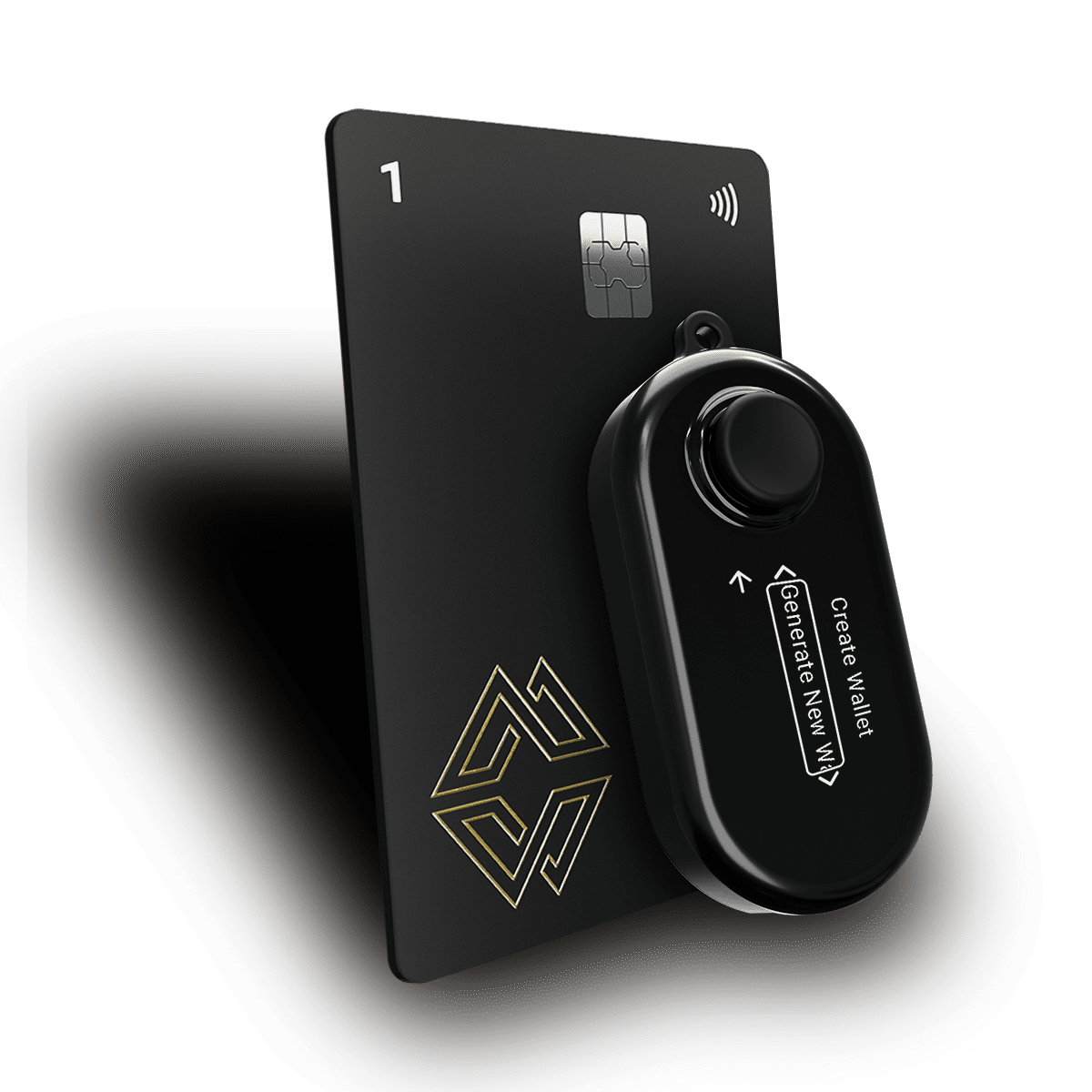
For hardware wallet users, specifically Cypherock X1, the workflow includes a step that defeats address substitution structurally: physical address verification on the device screen. Every time a transaction is initiated from a Cypherock X1 wallet, the X1 Vault displays the complete destination address on its physical screen before the transaction is signed. That screen is driven by the device's own hardware, it cannot be manipulated by malware running on the connected computer.
If CryptoBandits has substituted the destination address in the clipboard, and that substituted address was pasted into cySync, the X1 Vault screen will display the substituted address, the attacker's address, not your intended one. A holder who reads the address on the device screen before approving will see the discrepancy. A holder who verifies every transaction on the device screen is structurally immune to address substitution attacks regardless of whether their computer is infected.
This is not a theoretical protection. It is the primary reason hardware wallet address verification exists as a mandatory practice rather than an optional convenience step. CryptoBandits makes this practice urgent and concrete.
When a user copies a crypto wallet seed phrase or a private key for a Bitcoin or Ethereum wallet, the malware captures that data and sends it to the attacker's server over the Tor network.
For a Cypherock X1 user whose wallet was created natively on the device, the seed phrase is split cryptographically into 5 shares the moment it's generated and is never assembled in software or displayed in a copyable form unless the user specifically chooses to view it on the Vault screen. There is no seed phrase sitting in a text file, notes app, or clipboard to capture. A seed phrase that never appears in software cannot be captured by software-based clipboard monitoring.
This is the architectural consequence of Cypherock X1's Shamir's Secret Sharing implementation: your private key was split into 5 shares at the moment of wallet creation and distributed to hardware. It was never assembled as a complete key in software. It was never displayed as 24 human-readable words by default. It has never existed in a form that clipboard monitoring software can capture, unless the user chooses to view it on the Vault screen, in which case it still never touches the computer's clipboard.
Software wallet users who have their seed phrase stored in a notes app, a password manager, or who ever paste it during a recovery process are fully exposed to Mechanism 2. Cypherock X1 native wallet users have no seed phrase exposure to monitor, because the seed phrase is never assembled or displayed in software during normal use.
The one caveat: Cypherock X1 also functions as a secure vault for existing seed phrases from other wallets. If you have imported an existing seed phrase into Cypherock X1, that seed phrase may have been exposed to the clipboard during the import process. The act of importing a seed phrase on a potentially infected machine is dangerous, and CryptoBandits is now the clearest possible argument for why seed phrase import should always be done on a dedicated, clean machine.
The malware also takes five screenshots, ten seconds apart, and sends those along to the attacker. This component targets holders who display sensitive information on screen, seed phrases shown during software wallet setup, private key exports, QR codes representing keys, and similar visual displays.
Hardware wallet users whose keys never appear on screen have low exposure. But any holder who has ever displayed crypto-sensitive information on a Windows machine should treat that machine as potentially compromised.
The screenshots also capture cySync's interface, your portfolio balances, your wallet addresses, and your transaction history become visible to the attacker through screen capture. This is not key-level compromise (the attacker can see your address but cannot sign transactions from it without your hardware), but it is information that can be used to identify high-value targets for follow-on attacks.
If you are a Windows user who holds crypto, the following actions apply regardless of your wallet type.
Microsoft Defender Antivirus detects the threat as Trojan:Win32/CryptoBandits.A. Open Windows Security, then Virus & threat protection, then Quick scan. If you want comprehensive coverage, run a full scan. Defender is updated to detect CryptoBandits as of the June 17 disclosure.
Microsoft advises users to verify wallet addresses before sending transactions, avoid opening unknown shortcut files, and remain cautious when using removable media devices. More specifically: disable AutoPlay in Windows Settings, then Bluetooth & devices, then AutoPlay. This prevents USB-borne malware from executing automatically when a drive is inserted.
Settings path: Windows Settings -> Bluetooth & devices -> AutoPlay -> toggle to Off.
The malware spreads stealthily through malicious shortcut files on USB drives. If you plug in a USB drive and see .lnk shortcut files where you expected regular documents, do not open them. USB drives that have passed through unknown hands, conference swag, borrowed drives, shared office storage, should not be plugged into any computer that holds crypto-related activity.
If your Windows machine is infected and you copy your seed phrase for any reason, backup verification, import to a new wallet, recovery procedure, CryptoBandits transmits it to the attacker's server within 500 milliseconds. If you need to handle seed phrase material, do it on a machine you have verified is clean, or use the hardware wallet device screen rather than copying text to the clipboard.
This is the most important operational change you can make today. Microsoft advises users to verify wallet addresses before sending transactions. For hardware wallet users, "verifying" means checking the address on the device's physical screen, not the address displayed on your computer. The two should match. If they don't, your computer is likely infected and has substituted the address.
For Cypherock X1 users specifically: every transaction signing request displays the destination address on the X1 Vault screen. Read it. Character by character. This single habit defeats Mechanism 3 entirely regardless of whether CryptoBandits is present.
If you use a USB drive regularly across multiple computers, home, office, a colleague's machine, treat it as potentially infected. Do not plug it into any machine that is used for crypto activity until you have scanned it for .lnk files and verified it is clean.
CryptoBandits is not the first crypto clipper malware. It is the most sophisticated one disclosed publicly to date. The escalation it represents is specific:
Previous crypto clippers were simple substitution tools: monitor clipboard, detect address format, substitute address. They were detectable because they left traces in standard Windows processes and used direct IP-based command-and-control servers that could be blocked.
CryptoBandits combines clipboard theft with seed phrase exfiltration, physical USB propagation, Tor-anonymous C2 communication, worm-like self-propagation to clean drives, screenshot capture, and scheduled task persistence. This marks a notable escalation in clipboard-based theft, combining physical propagation with anonymized command-and-control to fly under the radar of traditional defences.
The trajectory is clear: clipboard attacks against crypto holders are becoming more sophisticated, harder to detect, and more broadly propagating. The defence is not a better antivirus alone, it is an architecture where the most valuable data (seed phrases, private keys) never needs to appear in the clipboard at all.
Cypherock X1's distributed key architecture eliminates the clipboard as a meaningful attack surface for key material. There is nothing in the clipboard to steal because the key material never passes through software in a copyable form. The hardware generates, splits, and holds the key, it never surfaces in Windows' clipboard, in a text file, or in a notes app where a worm can see it.
Your private key material is not at risk through Mechanism 2 (clipboard seed phrase capture) if you use a Cypherock X1 native wallet, because no seed phrase exists in software to be captured. You are at risk from Mechanism 3 (address substitution) if you don't verify destination addresses on the device screen before signing, which is why address verification on the hardware screen is non-negotiable, especially now. Verify every address on the X1 Vault screen before approving any transaction.
CryptoBandits is a Windows-specific threat, using Windows Script Host and ActiveX-driven logic. Mac and Linux users are not at risk from this specific malware. However, the address substitution attack concept is platform-agnostic, similar clipboard hijackers exist for macOS. The practice of verifying addresses on hardware wallet screens is advisable on all platforms.
Assume your machine may be compromised and act accordingly. Run a full Defender scan. Do not copy or display your seed phrase on this machine until it is confirmed clean. Consider migrating your assets to a hardware wallet to eliminate the seed phrase exposure permanently. Our first-time hardware wallet setup guide covers this migration process step by step.
You cannot easily detect active clipboard monitoring without dedicated security tooling. The most reliable approach is: run a full Microsoft Defender scan (updated as of June 17 to detect CryptoBandits), check Task Manager for unexpected instances of Windows Script Host (wscript.exe or cscript.exe), and look for unexpected scheduled tasks in Task Scheduler. Behavioural indicators, clipboard content that is inexplicably different after pasting, are the most observable real-time signal.
You can limit exposure by never copying seed phrases or private keys to your clipboard (instead, type them character by character if you must enter them at all), and by using a clipboard manager that clears history automatically after each paste. These are mitigations, not solutions. The structural solution is an architecture where seed phrases never need to appear in the clipboard, which is what Cypherock X1's distributed key architecture provides.
The malware sets up scheduled tasks for persistence, allowing it to keep running after restart and giving attackers a longer window to monitor the device. The address substitution attack activates opportunistically, the next time you attempt a transaction, the address is swapped. The seed phrase theft activates the moment a seed phrase appears in the clipboard. Attackers are not necessarily watching in real time; stolen data is transmitted to the Tor server and reviewed later.
CryptoBandits is a significant, documented, actively propagating threat to Windows crypto users disclosed by Microsoft today. The malware allows attackers to steal wallet data, take screenshots, and replace copied crypto wallet addresses with their own, and it has been doing so since February 2026.
The response has two layers. The immediate layer is operational: scan your machines, disable AutoPlay, stop treating USB drives as safe, and verify every transaction address on your hardware wallet's physical screen before approving. Do this today, before your next transaction.
The structural layer is architectural: the most dangerous components of CryptoBandits target data that a properly architected hardware wallet never exposes in software. A seed phrase that never touches a clipboard cannot be stolen from one. A private key distributed across 5 hardware components and never assembled in software cannot be exfiltrated by a worm monitoring Windows' clipboard API.
Microsoft urged users to disable AutoPlay and exercise caution with unverified USB drives. That is good operational advice. The deeper advice, the advice that makes future CryptoBandits variants irrelevant to your security posture, is to hold your keys in hardware that produces no clipboard-copyable key material in the first place.
Protect your crypto from CryptoBandits and future clipboard threats: explore the Cypherock X1, the hardware wallet that eliminates seed phrase vulnerability with no seed phrase exposed to steal. Learn how the SSS architecture works and why it eliminates the clipboard attack surface entirely. If you're still using a software wallet, our first hardware wallet setup guide walks you through migration step by step.
Related Reading: