0
$0.00
0 items

Chainlink has cemented itself as one of the most critical pieces of Web3 infrastructure. As the dominant decentralized oracle network, LINK tokens underpin price feeds, verifiable randomness, and cross-chain communication for hundreds of protocols across every major blockchain.
And yet, most LINK holders store their tokens in ways that represent a serious security risk: exchange accounts, browser wallets, or hardware wallets that still depend on a seed phrase backup.
If you hold LINK, this guide covers exactly how to store it safely in 2026: what the real threats are, which storage options exist, and how to choose the right hardware wallet.
LINK is an ERC-20 token on Ethereum, meaning it follows the same address and key management standards as ETH. This has two implications:
Any Ethereum-compatible wallet can store LINK, which means the choice of wallet matters enormously, since the attack surface is wide.
LINK holdings tend to be significant, as active DeFi participants, node operators, and long-term holders often accumulate substantial LINK positions worth protecting with cold storage.
As of 2026, the top threat vectors for LINK holders are:
Exchange hacks or insolvencies (still the #1 cause of altcoin losses) Phishing attacks targeting MetaMask and other browser wallets Seed phrase compromise from paper backups SIM-swap attacks on 2FA-protected exchange accounts
Cold storage, specifically a hardware wallet, eliminates exchange and hot wallet risk entirely. But not all hardware wallets are equal.
Tier 1: Exchange (Worst for Security) Storing LINK on Binance, Coinbase, Kraken, or any centralized exchange means you don't hold your private keys. You hold a promise. Exchange insolvencies, hacks, and regulatory freezes are documented, recurring events. This is only acceptable for tokens you plan to trade in the very short term.
Tier 2: Software / Browser Wallets (Moderate Risk) MetaMask, Rabby, or any browser extension wallet gives you self-custody, but your keys exist on an internet-connected device. Malware, clipboard hijacking, and phishing are live threats. Acceptable for small DeFi-active positions. Not acceptable for long-term significant holdings.
Tier 3: Hardware Wallet with Seed Phrase (Good) Ledger, Trezor, and similar devices move your keys offline. Your LINK is significantly safer. But the seed phrase backup remains a liability, specifically a piece of paper or metal with your master key, vulnerable to physical compromise.
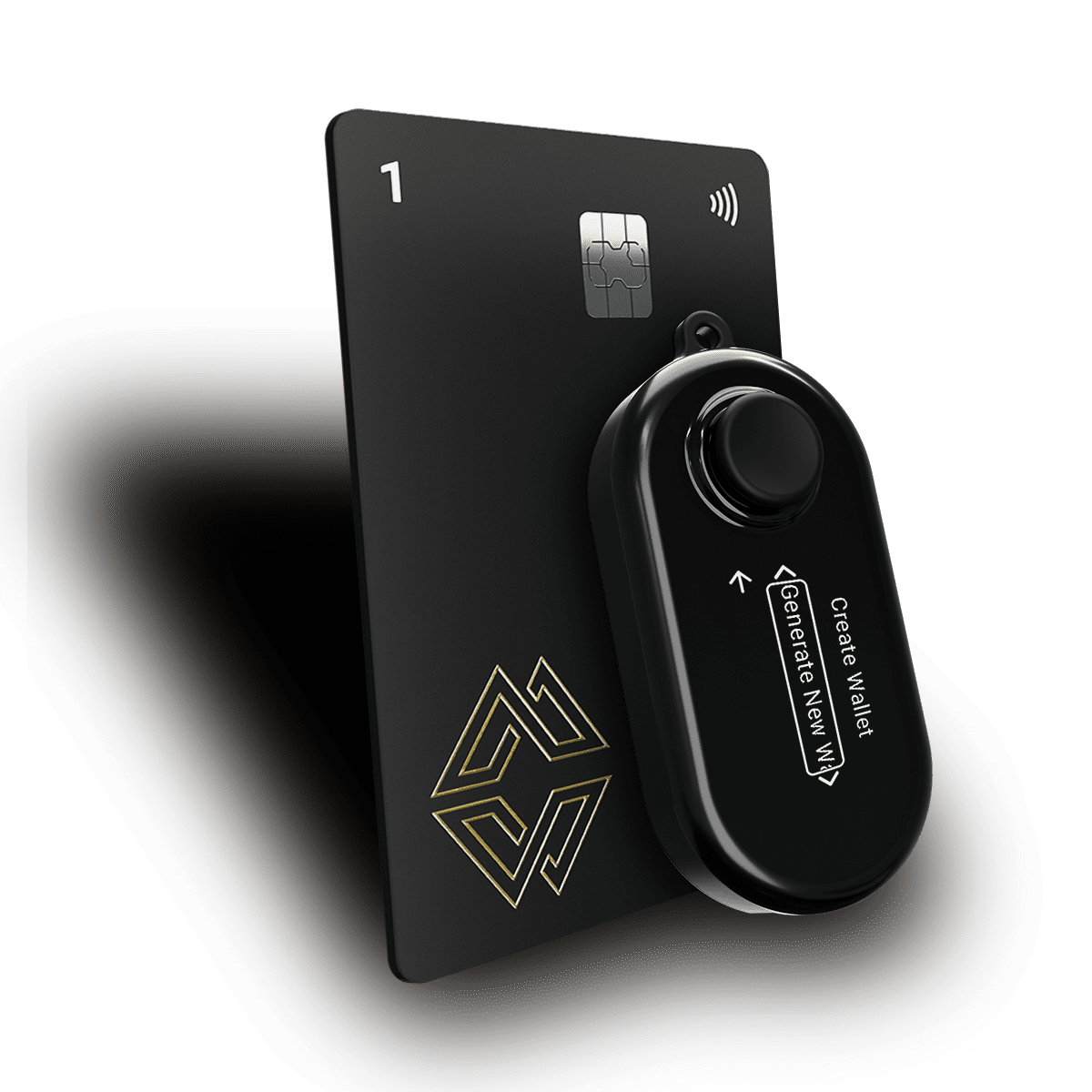
Tier 4: Hardware Wallet Without Seed Phrase (Best) This is the architecture offered by Cypherock X1. The private key is split using Shamir's Secret Sharing across 5 hardware components. No seed phrase is ever written down. LINK storage at this tier has no single point of failure.
Yes. Cypherock X1 supports ERC-20 tokens including Chainlink (LINK) as part of its Ethereum ecosystem support. Since LINK is an ERC-20 token, it is managed through the same Ethereum address and private key that secures your ETH and all other Ethereum-based tokens.
This means a single Cypherock X1 setup protects your LINK, ETH, and thousands of other ERC-20 tokens simultaneously, without needing separate wallets or seed phrases for each.
Browse the complete list of supported assets at cypherock.com/coin-support.
Step 1: Set Up Your Cypherock X1 Unbox your X1 Vault and 4 X1 Cards. Follow the setup flow in the cySync desktop app. During setup, the app will generate your private key, split it via SSS, and distribute shares to the Vault and each Card. No seed phrase is shown or required.
Step 2: Create or Import an Ethereum Wallet Within cySync, create a new Ethereum wallet account. This generates your Ethereum address, which is the same address you'll use for ETH, LINK, and any ERC-20 token.
Step 3: Transfer Your LINK to Your Hardware Wallet Address From your exchange or MetaMask, initiate a withdrawal to your Cypherock Ethereum address. Always send a small test transaction first. Verify the address on the X1 Vault screen (not just on your computer monitor).
Step 4: Verify Receipt in cySync The cySync app will display your LINK balance once the transaction confirms on-chain.
Step 5: Distribute Your X1 Cards Store your 4 X1 Cards in at least 2 to 3 separate physical locations. For high-value holdings, geographic separation (different cities, a safety deposit box, a trusted family member) significantly raises the security threshold.
Many LINK holders participate in Chainlink Staking (v0.2 and beyond). The common assumption is that staking requires keeping funds in a hot wallet, but this is not true.
Using hardware wallet-connected signing flows, you can:
Stake LINK from a hardware-wallet-protected address Sign staking transactions on your Cypherock X1 (via cySync's transaction signing) Keep the staking contract interaction history auditable
This allows you to earn staking rewards without ever exposing your private key to an internet-connected software environment.
Never store your seed phrase digitally: no cloud, no email, no photo. If using a wallet that requires one, consider using Cypherock X1 as a secure seed phrase vault instead.
Use a dedicated wallet account for LINK, as Cypherock X1 supports up to 4 separate wallet accounts per device, so you can isolate your LINK holdings from DeFi activity.
Verify receiving addresses on the device screen, since address poisoning attacks copy the first and last characters of legitimate addresses; always verify the full address on your hardware wallet display.
Keep firmware updated on the X1 Vault. X1 Cards are never updatable (a security feature), but the Vault should stay current.
Plan for inheritance. A large LINK position that can't be accessed by heirs is functionally worthless. Cypherock Cover provides a non-custodial inheritance solution for exactly this scenario.
Yes. Your Ethereum address holds both ETH and all ERC-20 tokens, including LINK. They share the same private key and are all protected by Cypherock's SSS architecture.
Fully non-custodial. Cypherock never holds any share of your private key. Your keys are generated on your hardware, distributed to your physical devices, and never leave your possession.
If you retain at least 2 X1 Cards and remember your PIN, you can recover full access using the recovery flow in cySync. The Vault alone does not hold enough information to compromise your funds.
Yes. You can connect cySync to WalletConnect-compatible DeFi interfaces for signing transactions while your keys remain protected on the hardware. This is the recommended approach for DeFi-active LINK holders.
Chainlink is infrastructure-grade crypto. It deserves infrastructure-grade security. Exchange wallets and browser extensions were never built for long-term custody of significant token holdings.
Moving your LINK to cold storage, specifically to a hardware wallet that eliminates the seed phrase as a vulnerability, is the single most impactful security upgrade most LINK holders can make in 2026.
Explore Cypherock X1 for seedless cold storage of LINK and 19,000+ other tokens, or check the full coin support page to verify your complete portfolio is covered.
Related reading: