0
$0.00
0 items

Dogecoin started as a joke. It is no longer one.
As of July 2026, Dogecoin (DOGE) sits in the top 10 cryptocurrencies by market capitalisation, a position it has held, with interruptions, for over three years. It processes more daily transactions than many "serious" blockchains. It has been accepted as payment by merchants across dozens of countries, integrated into major fintech apps, and accumulated by retail holders in quantities that represent meaningful personal wealth for millions of people.
And yet the majority of those holders store their DOGE in ways that are entirely inappropriate for the amount of value at stake. Exchange accounts. Desktop software wallets. Mobile apps. Storage decisions made in 2021 during the initial meme coin mania that were never revisited as the portfolio grew.
This guide covers everything a DOGE holder needs to know about wallet security in 2026: what makes Dogecoin technically distinct from EVM chains, why the storage decision matters at any portfolio size, which wallets are genuinely suitable for different use cases, and how to move DOGE to hardware wallet cold storage step by step.
Understanding how Dogecoin works at the technical level changes which wallets are actually compatible, and why not every hardware wallet that claims "multi-chain support" can actually store DOGE.
Dogecoin is a UTXO chain, not an account-based chain. Ethereum and its EVM-compatible derivatives (BNB Smart Chain, Avalanche C-Chain, Polygon) use an account model: each address has a balance, and transactions deduct from and add to those balances directly. Dogecoin, like Bitcoin and Litecoin, uses the UTXO (Unspent Transaction Output) model: your "balance" is actually a collection of individual unspent outputs from previous transactions, each with its own value. When you send DOGE, you're combining UTXOs that add up to at least the sending amount and creating new UTXOs, one for the recipient, one for yourself as change. This matters for wallet compatibility. An EVM wallet, MetaMask, Rainbow, any browser extension designed for Ethereum, cannot handle Dogecoin. DOGE requires dedicated UTXO chain support with its own address derivation, transaction construction, and UTXO management logic.
Dogecoin uses its own address format. DOGE addresses begin with the letter D and are 34 characters long, distinct from Bitcoin's addresses (which begin with 1, 3, or bc1) and completely different from Ethereum's 0x format. Sending DOGE to a Bitcoin address is not possible through standard wallets; sending DOGE to an Ethereum address is a guaranteed loss. Verify address formats carefully for every transaction.
Dogecoin's block time is 1 minute. Dogecoin produces a new block every minute, 10x faster than Bitcoin's 10-minute blocks. This means transactions confirm significantly faster. For cold storage purposes, this is a convenience feature rather than a security differentiator — your DOGE arrives at your hardware wallet address faster, but the security of the key holding it is what matters.
Dogecoin has no supply cap. Unlike Bitcoin's fixed 21 million coin supply, Dogecoin has no hard cap. Approximately 5.26 billion new DOGE are issued per year through mining rewards. This inflationary issuance is a deliberate design decision that keeps transaction fees low. For holders, it means the investment thesis for DOGE is different from Bitcoin's, but it does not change the custody requirements. Significant DOGE holdings denominated in fiat terms require the same security infrastructure as any other crypto asset of equivalent value.
Yes. Cypherock X1 supports Dogecoin (DOGE) as part of its native UTXO chain support. DOGE is listed on the Cypherock coin support page alongside Bitcoin, and is managed through the cySync desktop application.
This native support means:
Coinbase, Binance, Robinhood, and most major brokerages support DOGE. For the majority of DOGE holders who entered during the 2021 or 2024 meme cycles, an exchange account was the first and only wallet they ever used.
Exchange custody means the exchange holds your DOGE's private key. Your balance is an accounting entry in their system, not an on-chain position at your own address. As documented in the FTX collapse and the Binance EU MiCA suspension, exchange access can be restricted, frozen, or permanently lost through events entirely outside your control.
For DOGE specifically, exchange custody carries an additional irony: Dogecoin was built with the ethos of a community-owned currency. Holding it on a centralised exchange is philosophically inconsistent with what the asset represents, and practically exposes it to the same counterparty risks as any other custodial holding.
Acceptable for: active trading float. Never for significant long-term holdings.
Several software wallets support Dogecoin natively, each with different trade-offs:
Dogecoin Core is the official full-node wallet, requiring you to download the entire Dogecoin blockchain (currently over 80GB) and run a node. Complete self-custody, maximum verification. Significant storage requirements and setup complexity make it impractical for most holders.
MultiDoge / Multidoge HD is a lightweight client that doesn't require downloading the full blockchain. Lower resource requirements, still self-custodial. Development has been inconsistent; verify the wallet is actively maintained before trusting significant holdings.
Exodus supports DOGE with a clean UI and built-in swap functionality. Self-custodial with a seed phrase. The desktop and mobile interfaces are polished. The downside: keys and seed phrase exist on an internet-connected device, vulnerable to the clipboard malware, phishing, and device-level attacks documented in CryptoBandits and similar threats.
Trust Wallet supports DOGE on mobile. Same architecture as Exodus: self-custodial, seed phrase-based, internet-connected.
Acceptable for: active trading and small speculative DOGE positions. Not appropriate for holdings representing meaningful value.
Ledger and Trezor both support Dogecoin through dedicated apps. Your DOGE private key goes offline. The device signs transactions without exposing the key to the internet. Significantly safer than any software wallet.
The persistent limitation: both require a 24-word seed phrase backup. That seed phrase is a complete representation of the private key, a single physical document that, if found, provides complete access to every asset in the wallet. For DOGE holdings that have appreciated significantly, the seed phrase backup becomes the highest-value physical object in your home.
Acceptable for: any holder who understands seed phrase management and has a robust physical backup strategy.
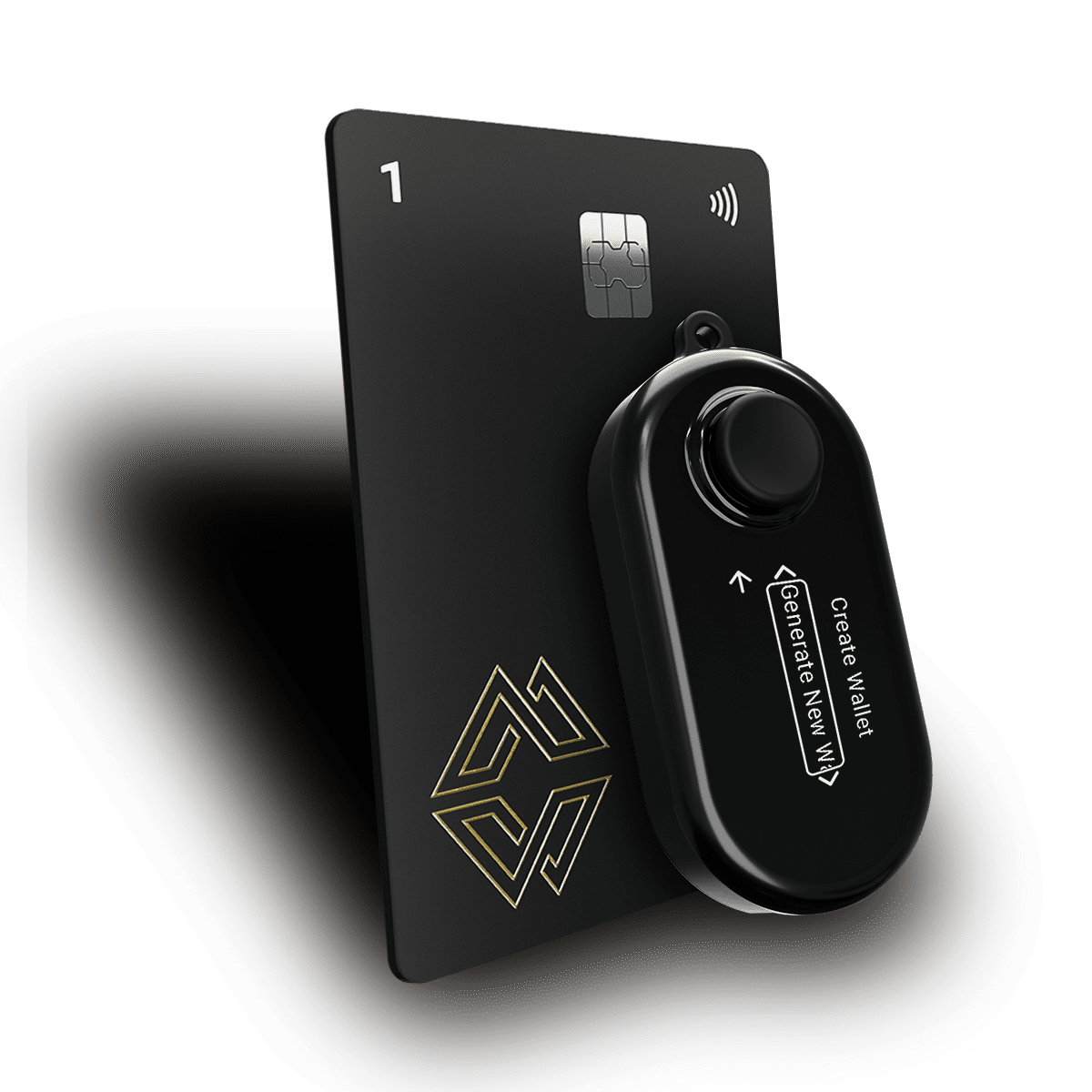
Cypherock X1: native DOGE support, private key distributed across 5 hardware components via Shamir's Secret Sharing, seed phrase split cryptographically at generation across 5 hardware components, never requiring paper backup.
Best for: any DOGE holder whose position represents meaningful value and who wants to eliminate both exchange custody risk and seed phrase exposure simultaneously.
For most holders, the UTXO model is invisible — your wallet software handles UTXO selection automatically. But understanding it helps you make smarter storage and transaction decisions.
Why DOGE transaction fees vary. In the UTXO model, transaction fees are calculated per byte of transaction data, not per unit of value. A transaction that combines many small UTXOs (from lots of previous small receipts) is larger in bytes than one that uses a single large UTXO, and therefore costs more in fees. If you've received DOGE in many small amounts over time, your wallet has accumulated many small UTXOs, and large sends may cost disproportionately in fees.
UTXO consolidation. Consolidating UTXOs means sending all your DOGE from multiple small UTXOs back to yourself in a single transaction, combining them into one or a few larger UTXOs. This costs a fee now but makes future transactions cheaper. If your DOGE wallet shows a much higher fee than expected for a transfer, UTXO fragmentation is the likely cause.
Privacy implications. The UTXO model provides some natural privacy properties: each transaction uses specific UTXOs rather than a total balance, making tracking harder than account-based chains. But Dogecoin's blockchain is fully public and all transaction histories are visible. For significant holdings, using a fresh receiving address for each transaction (which most modern DOGE wallets do automatically through HD wallet derivation) provides better privacy than reusing a single address.
Change addresses. When you send DOGE and the UTXOs you use are larger than the sending amount, the "change" goes to a new address derived from the same seed. Your cySync interface on Cypherock X1 handles this automatically — you don't need to manage change addresses manually. Just be aware that your DOGE "balance" in cySync may be spread across multiple derived addresses within your Dogecoin account.
Prerequisites:
Open cySync. In your wallet dashboard, select "Add Account" and choose Dogecoin from the supported blockchain list. The X1 Vault generates your Dogecoin account using the correct BIP-44 derivation path for DOGE (coin type 3). Your first receiving address is displayed: a 34-character string beginning with D.
This step is mandatory, not a suggestion. In cySync, use the "Verify Address" function for your Dogecoin account. Your X1 Vault displays the receiving address on its physical screen. Compare every character of the address shown on the device with what cySync shows on your computer.
If the CryptoBandits-type clipboard malware is present on your machine, it may have substituted the address on your computer screen. The Vault's display is generated by the device hardware, independent of anything running on your computer. It cannot be manipulated by software malware. If the two addresses match, you are verified. If they do not, stop immediately and investigate before sending any funds.
From your exchange or software wallet, initiate a small DOGE withdrawal to your verified Cypherock address. Test amount: 10-50 DOGE (small enough to be inconsequential if anything goes wrong, large enough to confirm the transaction works and the account is correctly set up).
Network selection: Dogecoin. There is only one Dogecoin network, but exchanges sometimes list DOGE wrapped on other chains (DOGE-ERC20, wDOGE). Ensure you are withdrawing native DOGE on the Dogecoin network, not a wrapped version.
Wait for confirmation. Dogecoin's 1-minute block time means your test transaction typically confirms within 2-5 minutes. Check cySync for the updated balance.
Once the test transaction confirms, transfer your remaining DOGE. For large amounts, consider whether to do this in a single transaction or in two or three tranches: a single large transaction is slightly more exposed to the window between sending and confirmation; multiple transactions reduce that window at the cost of additional fees.
Always re-verify the destination address on the X1 Vault screen before each transfer. Even if you verified it for the test transaction, re-verify before the main transfer. The address should match. If it does not, something has changed on your system and you should investigate before proceeding.
After all transfers confirm, cySync displays your complete DOGE balance. Cross-reference this with your exchange withdrawal history to confirm all amounts arrived correctly. Dogecoin's UTXO model means your balance may be shown as a single aggregated number even though it's held across multiple UTXOs internally — this is normal.
Review your card distribution and confirm it remains geographically separated. Your 4 X1 Cards should be in at least 2-3 different physical locations. Your DOGE (and all other assets on the same Cypherock X1) is protected by the 2-of-5 SSS threshold — any 3 card losses are survivable. But that resilience only holds if the cards are genuinely distributed, not all stored together.
Early DOGE communities were heavy users of paper wallets, keys generated on sites like walletgenerator.net and printed for storage. Many DOGE holders from 2013-2016 still have significant balances sitting on paper wallets they generated a decade ago. The risks are real: the generator site may have been compromised, the paper has likely degraded, and the key generation environment (the browser, the computer) may not have been secure.
If you hold DOGE on an old paper wallet, move it to a properly generated hardware wallet address as soon as possible. The age of the paper wallet and the insecurity of the generation environment both increase risk with every passing year.
Early Dogecoin culture normalised address reuse — sharing a single DOGE address publicly for tips and donations was common. Address reuse reduces privacy and creates a larger UTXO history that can be analysed to understand your full holdings. If you have a publicly shared DOGE address with significant holdings, consider moving to a fresh hardware wallet address and treating the old one as permanently public.
This is the most common DOGE-specific security failure mode. Holders who bought DOGE cheaply and left it on an exchange or in a software wallet reason that they'll set up proper cold storage "when it's worth moving." The problem: by the time it's worth moving, the urgency and the network fees feel more significant, and the psychological barrier is higher.
The value of setting up cold storage is precisely that it protects the appreciation you're hoping for — you cannot benefit from a 10x price increase if you've lost access to your holding during the intervening period. Move DOGE to cold storage at whatever price it currently trades at. The security architecture you build today protects every price level it might reach in the future.
Cold storage doesn't have to mean never accessing your DOGE. Cypherock X1 supports active transaction signing; you can send DOGE from your cold storage address whenever you want to sell, trade, or pay.
To receive DOGE: Open cySync -> navigate to your Dogecoin account -> copy your receiving address. Verify it on the X1 Vault screen. Share the verified address with the sender.
To send DOGE: Open cySync -> Dogecoin account -> Send. Enter the recipient's D-address and the amount. cySync constructs the transaction and presents it to your X1 Vault for signing. Your Vault displays the transaction details on its screen, destination address and amount. Authenticate with your X1 Card. The signed transaction is broadcast to the Dogecoin network. Confirms in minutes.
For regular spending: If you use DOGE for regular purchases, consider maintaining a small "spending float" in a software wallet or exchange account, similar to carrying cash in a physical wallet. Keep the bulk of your holdings in cold storage on Cypherock X1 and replenish the spending float from cold storage as needed. This is the same principle as not walking around with your entire bank balance in cash.
Dogecoin's community includes many holders who have held for years, some since 2013 and 2014, when DOGE was worthless and accumulating thousands or millions of coins was trivial. Those positions are no longer trivial.
For any DOGE holder whose position represents meaningful value, inheritance planning is not optional. The same failure mode documented in the widow's Bitcoin story applies equally to DOGE: a surviving family member who finds a hardware wallet, a piece of paper with words, and no instructions is in exactly the same position whether the device holds Bitcoin or Dogecoin.
Cypherock Cover provides non-custodial, non-KYC inheritance and PIN recovery for your entire Cypherock X1 portfolio, including your DOGE holdings. Configure it when you set up your X1. Document your DOGE address and approximate holdings in your portfolio map. Ensure your designated beneficiary has access to Cypherock Cover's recovery pathway. The time to plan inheritance is when you're setting up the wallet, not after something has already happened.
There is a persistent cultural bias in the crypto security community: Bitcoin and Ethereum deserve hardware wallets and rigorous custody practices; meme coins can be left anywhere. This bias has a real cost.
A holder with 1 million DOGE acquired in 2021 at fractions of a cent now holds an asset worth tens of thousands of dollars. The origin of that asset, as a meme, as a joke, as a community currency, is completely irrelevant to the question of how securely it should be stored. The security requirement is proportional to the value at stake, not the narrative history of the asset.
DOGE with a fiat value in the thousands deserves cold storage on a hardware wallet. So does any other crypto holding of equivalent value, regardless of what that holding is called or what community created it. The hardware wallet doesn't know what Dogecoin is. It stores the private key to the address where the DOGE lives. That key, distributed across 5 components on a Cypherock X1, or on paper somewhere in your house, is equally powerful regardless of which blockchain it controls.
Yes. Both are UTXO chains supported natively by Cypherock X1. Each gets its own account in cySync: a BTC account with a Bitcoin address and a DOGE account with a Dogecoin address. Both share the same SSS key distribution architecture across your 5 hardware components. One device, separate keys per chain, unified security.
There is no universal minimum: it depends on the fiat value of your holding and your personal risk tolerance. As a practical guideline, any DOGE position worth more than a few hundred dollars warrants at minimum a software wallet with a properly secured seed phrase backup. Any position worth more than $1,000-$2,000 warrants a hardware wallet. The cost of a Cypherock X1 Basic ($99) should be weighed against the value it protects across your entire portfolio, not just your DOGE.
Robinhood has enabled crypto withdrawals for most assets including DOGE. Navigate to the crypto section in your Robinhood account, select Dogecoin, and choose "Transfer out." You will need to provide your Cypherock X1 DOGE address (beginning with D). Standard withdrawal limits and processing times apply. Verify the address on your X1 Vault screen before initiating the withdrawal.
No. Wrapped DOGE (wDOGE) is an ERC-20 token on Ethereum that represents native DOGE on a 1:1 basis through a bridge. It is not native Dogecoin. Your Cypherock X1 Ethereum account can hold wDOGE (as an ERC-20 token), but this is a different asset from native DOGE held in your Dogecoin account. If you want to hold native DOGE, use your Dogecoin account address (beginning with D), not your Ethereum address.
Dogecoin does not have native staking: it uses proof-of-work mining, not proof-of-stake. There is no on-chain staking mechanism for DOGE. Exchange "DOGE staking" products are not native staking; they are lending programs where the exchange lends your DOGE and pays you interest. These require keeping DOGE in exchange custody, which reintroduces counterparty risk. Cypherock X1 holds native DOGE in cold storage; there is no native staking to participate in.
Use a public Dogecoin block explorer: dogechain.info or blockchair.com/dogecoin. Enter your Dogecoin address (the D-address from cySync). The explorer shows your balance, complete transaction history, and UTXO breakdown. This is public information — no keys required to view it. Checking your balance on a block explorer independently of cySync is a good practice for confirming that transfers arrived correctly.
Dogecoin is no longer a joke. It is a top-10 cryptocurrency by market cap, held by millions of people in quantities that represent real financial value. The cultural narrative of DOGE as a meme does not change the mathematics of its blockchain or the financial consequences of losing access to holdings denominated in it.
The security architecture appropriate for significant DOGE holdings is identical to the architecture appropriate for Bitcoin, Ethereum, or any other crypto asset of equivalent fiat value: hardware wallet cold storage with distributed key management and no single point of physical failure.
Cypherock X1 supports Dogecoin natively: native UTXO signing, correct D-address generation, DOGE management through cySync alongside every other asset in your portfolio. No seed phrase backup required, your key is split across 5 hardware components from the moment of creation. No single component sufficient for compromise. The same SSS architecture that protects your Bitcoin protects your DOGE.
Much wow. Very secure.
Store your DOGE on Cypherock X1. Verify DOGE is on the full supported coin list. Follow the first-time setup guide if you're new to hardware wallets. Plan your inheritance with Cypherock Cover.
Related Reading:-